
Use Client Codes (CSV) to limit a Location User's access to specific clients in techSHIP.
This guide explains how to configure client access for a new or existing Location User.
 | For detailed conceptual information, advanced configuration, and checking the required permissions to perform this procedure, refer to techSHIP User Permissions Structure [Information]. If you have not created the Location User yet, follow How to Create a Location User [Step-by-Step Guide] to open the user creation dialog, then continue with the steps below. | |
| | ||
| If the profile belongs to an Organization User, it appears as read-only in Location Users, and you cannot modify its permissions from this page. For information about global users and roles, refer to Understanding Organization Users [Guide].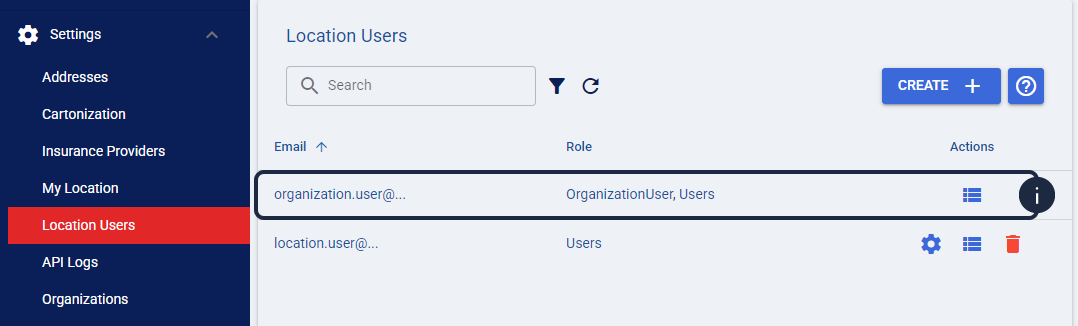 | |
| | ||
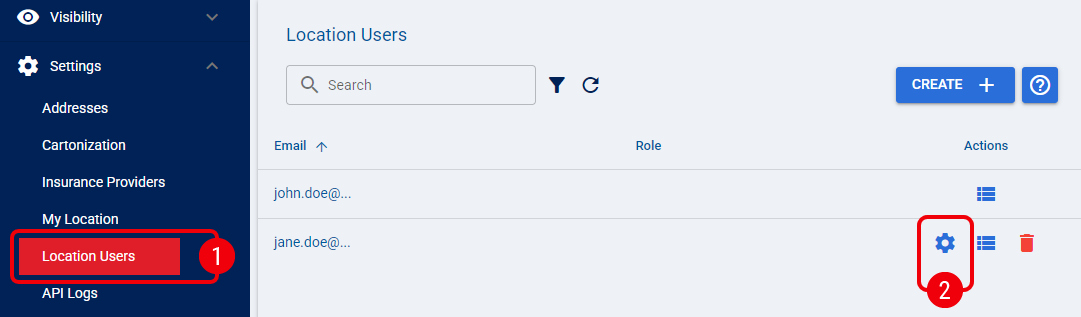
 | From Settings, select Location Users. |
 | Click the Edit icon for the Location User you want to configure, or continue from the Create User dialog if you are creating a new user. |
 | In Client Codes (CSV), enter the Client Codes that the user needs access to. To provide access to multiple clients, separate each Client Code with a comma, for example CLIENT_A,CLIENT_B. |
 | Review the configured Client Codes, then select Save. |
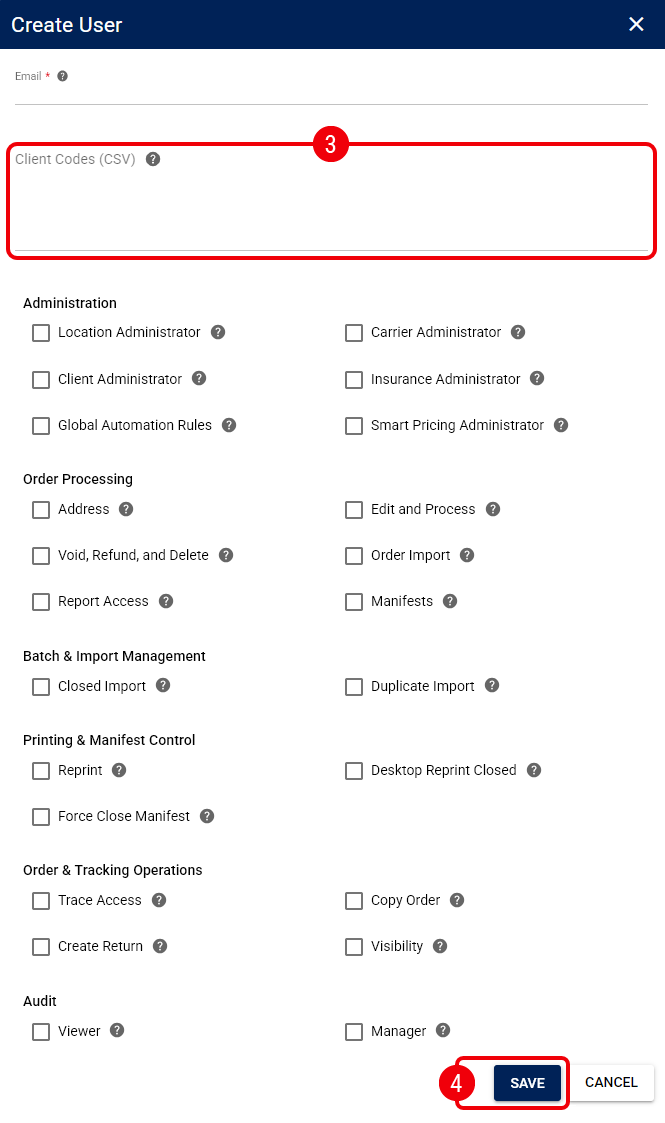
The Location User's client access is now limited to the Client Codes you entered.