
You can download a ready-to-print Desktop barcode PDF from techSHIP to keep supported barcode actions available at your packing station.
For detailed conceptual information and advanced configuration, refer to How to use Advanced Commands and Barcodes [Information].
To download the Desktop barcodes:
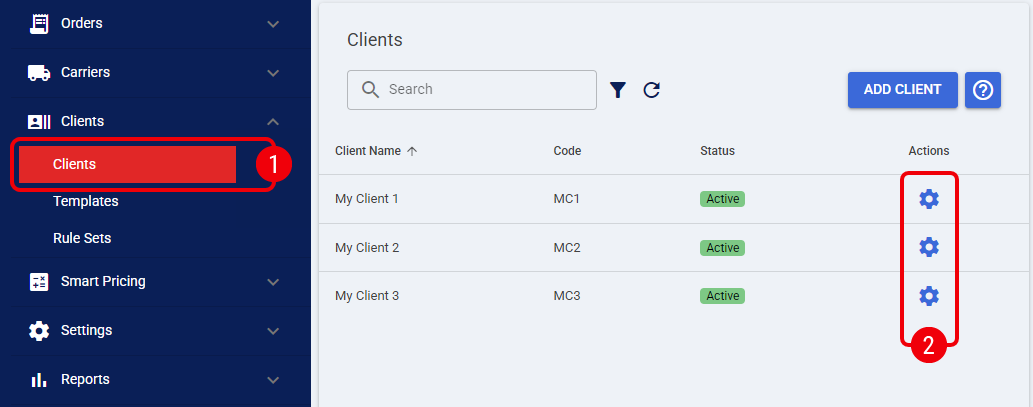
 | From the left menu, under the Clients section, click Clients. |
 | Locate the desired Client and click the Edit icon. |
 | Select the Boxes tab. |
 | Click Download Desktop Barcodes. |
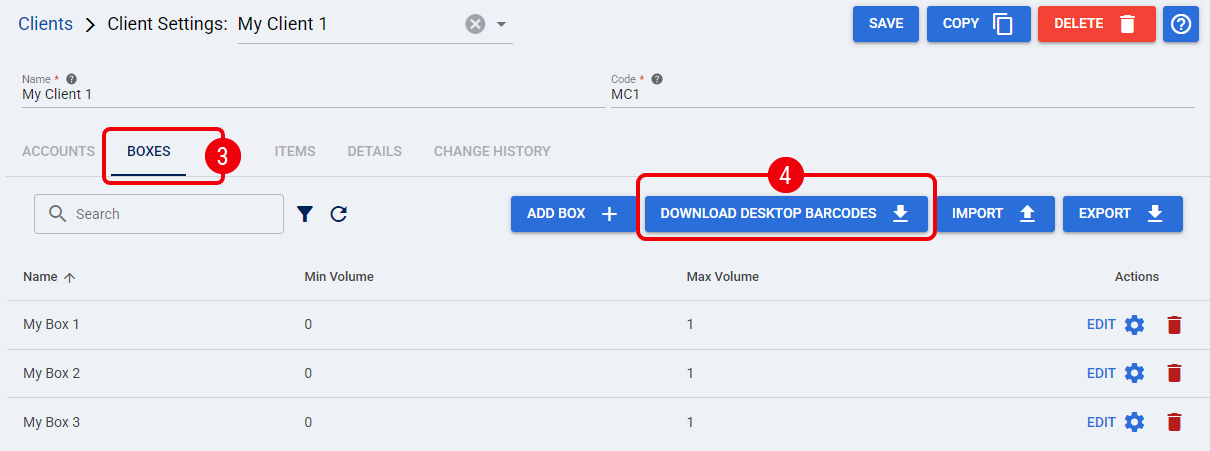
After you click Download Desktop Barcodes, techSHIP downloads the printable Desktop barcode PDF You can now print the PDF and make the required barcodes available at your packing station.