
You can delete or restore clients to temporarily pause or resume availability within techSHIP.
To delete or restore clients:
1. Find the desired client by clicking on Clients from the left menu under the Clients section.
2. Edit the desired client by clicking the Settings button.
 NOTE: To restore a deleted client, use the Advanced filter, as detailed in the linked article.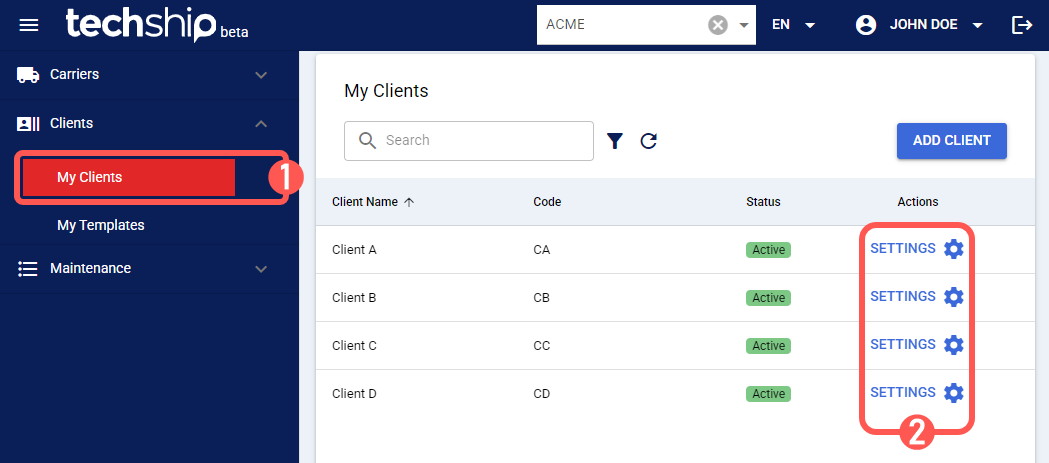
3. Press:
- Delete: To delete the client.
- Restore: To restore the client.
NOTE: The image provided illustrates the Delete button. The Restore button is situated in the same position. 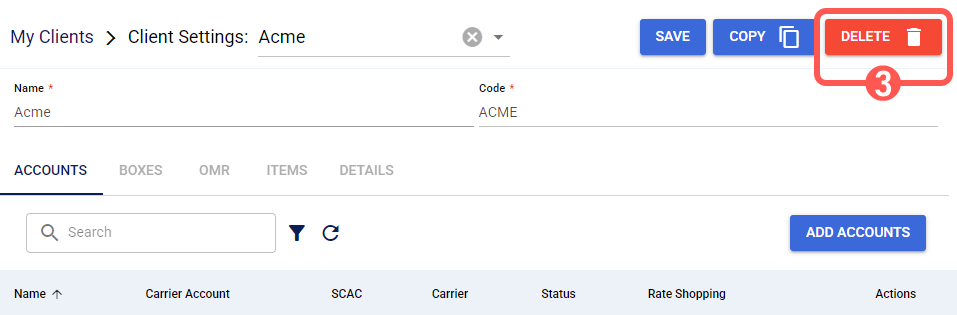
4. Press OK.

An auto-dismissing toast notification will confirm the client's deletion or restoration. To learn more about what you can do next, refer to the Clients folder in our knowledge base.