
This guide explains how to add and configure a Mainfreight V2 Client (Billing) Account.
A Client (Billing) Account assigns a carrier connection to a specific Client and defines how that carrier behaves for that Client.
This setup uses a Baseline Account as the foundation.
If the Baseline Account has not been created yet, complete: How to Add a Mainfreight V2 Baseline Account [Guide]
 |
For a complete overview of supported carriers and related setup guides, refer to techSHIP supported Carriers - Master List [Guides List].
|
TABLE OF CONTENTS
Prerequisites
Before adding a Client (Billing) Account, ensure the following prerequisites are completed:
- Client Profile created
- Mainfreight V2 Baseline Account created and configured: How to Add a Mainfreight V2 Baseline Account [Guide]
Essential Configuration
Follow the configuration steps as described in How to Add a Client (Billing) Account [Step-by-Step guide].
Then, return to the Carrier tab to complete the carrier-specific configuration.
Carrier-Specific Configuration
The Carrier tab contains the Mainfreight V2-specific configuration used to define operational behavior for this Client (Billing) Account. Fields marked with an asterisk (*) are mandatory in the carrier configuration.
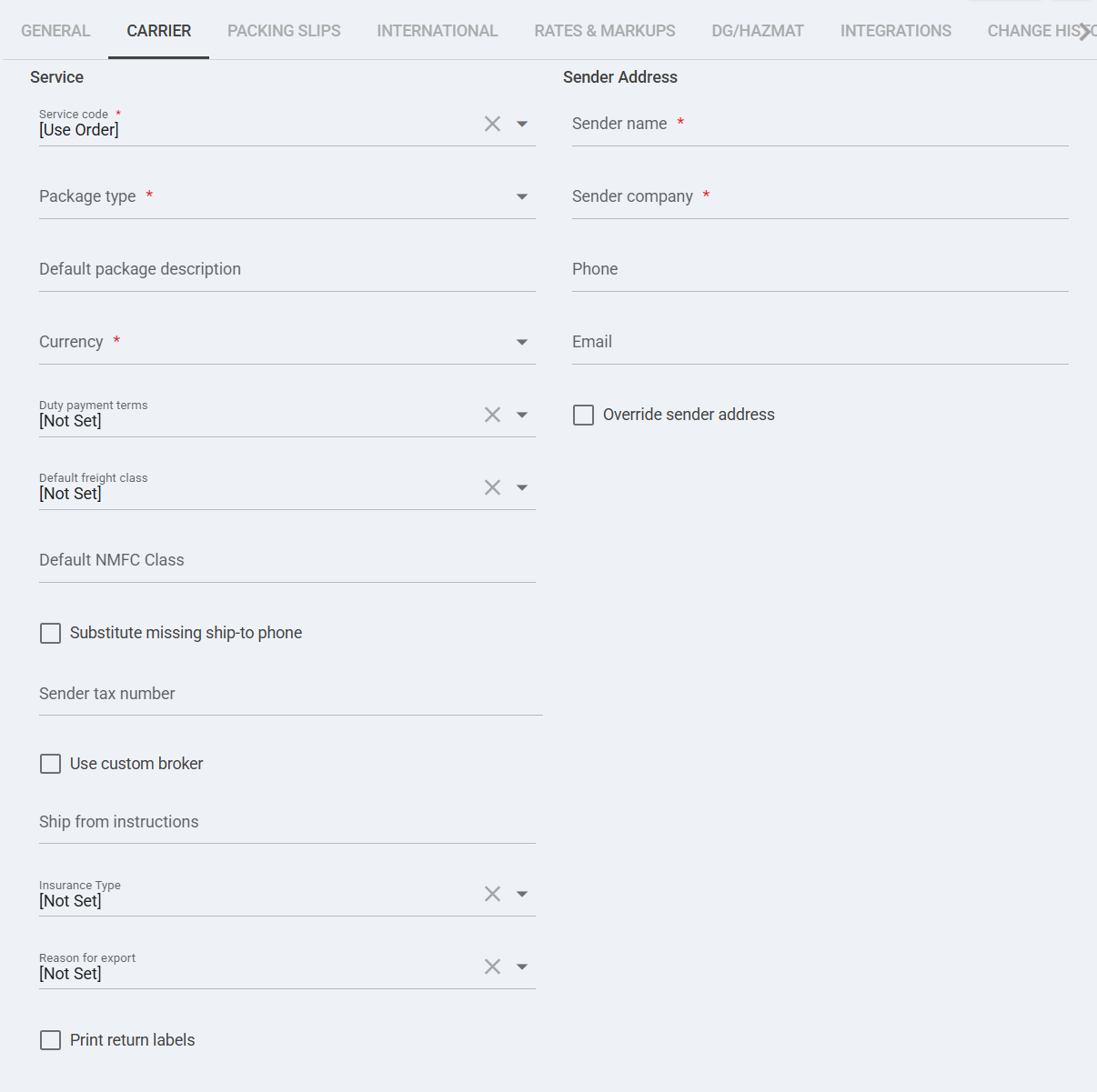
 | Service code *: Select the service to be used for Mainfreight shipments. If set to [Use Order], the system will use the service provided in the order payload. |
 | Package type *: Select the default package type (e.g., Pallet) used for rating and shipment creation. |
 | Override WMS Service Code: When enabled, overrides the service code provided by the WMS and forces the selected Service Code above. |
 | Housebill number: Optional reference number associated with the shipment for billing or tracking purposes. |
 | Customer unique item number: Optional client-defined reference for shipment identification. |
 | Reference corresponding to the sender: Optional sender-side reference value passed to the carrier. |
 | Reference corresponding to the receiver: Optional receiver-side reference value passed to the carrier. |
 | Freight terms *: Select the freight terms (e.g., Door To Door) required for Mainfreight shipment processing. |
 | Freight class: Optional freight classification used for LTL rating. |
 | Freight NMFC class: Optional NMFC class value used when required for freight rating. |
 | Payment type: Defines how freight charges are paid (e.g., Prepaid, Collect). Optional unless required by contract. |
 | Sender name *: Required sender contact name for shipment requests. |
 | Sender company *: Required sender company name for shipment requests. |
 | Override sender address: Enables custom sender address at billing level instead of inheriting baseline configuration. |
 | Override billing address: Enables custom billing address at billing level instead of inheriting default billing configuration. |
Next Steps
If you need to gather credentials, validate constraints, or confirm carrier-specific operational details, refer to: Mainfreight V2 Onboarding Requirements and Configuration Guides [Information]