
This guide explains how to add and configure a RocketShip V2 Cirro Client (Billing) Account.
A Client (Billing) Account assigns a carrier connection to a specific Client and defines how that carrier behaves for that Client.
This setup uses a Baseline Account as the foundation. If the Baseline Account has not been created yet, complete: How to Add a RocketShip V2 Cirro Baseline Account [Step-by-Step guide]
 |
For a complete overview of supported carriers and related setup guides, refer to techSHIP supported Carriers - Master List [Guides List].
|
TABLE OF CONTENTS
Prerequisites
Before adding a Client (Billing) Account, ensure the following prerequisites are completed:
- Client Profile created: You can add it following these steps How to create a Client profile [Step-by-Step guide]
- RocketShip V2 Cirro Baseline Account created and configured.
Essential Configuration
Follow the configuration steps as described in How to Add a Client (Billing) Account [Step-by-Step guide].
Then, return to the Carrier tab to complete the carrier-specific configuration.
Carrier-Specific Configuration
The Carrier tab contains the RocketShipV2 Cirro-specific configuration used to authenticate the Baseline Carrier Connection and define the default sender address. Fields in this view are grouped visually to distinguish mandatory (asterisk-marked) and optional carrier-specific settings.
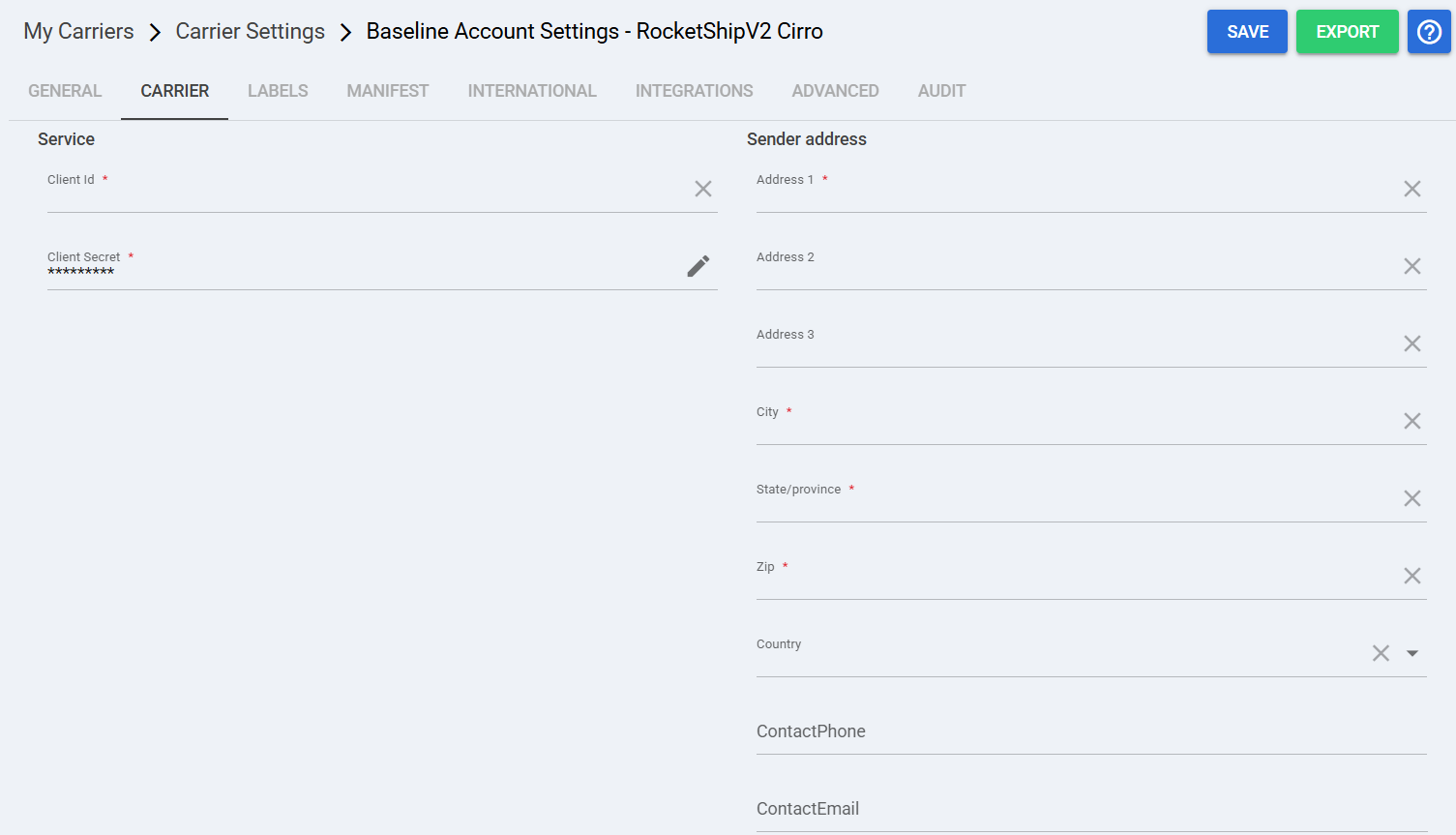
 | Client Id: Enter the RocketShip V2 Cirro Client Id used to authenticate requests for this Baseline account. |
 | Client Secret: Enter the RocketShip V2 Cirro Client Secret used to authenticate requests for this Baseline account. |
 | Address 1: Primary sender street address used as the ship-from location. |
 | Address 2: Secondary sender address line. |
 | Address 3: Additional sender address information if required. |
 | To enable carrier-specific settings, and before continuing, press Save. |
Next Steps
If you need to gather credentials, validate constraints, or confirm carrier-specific operational details, refer to: RocketShipV2 Cirro Onboarding Requirements and Configuration Guides [Information]