
This guide explains how to add and configure an Aramex Client (Billing) Account.
A Client (Billing) Account assigns a carrier connection to a specific Client and defines how that carrier behaves for that Client.
 |
For a complete overview of supported carriers and related setup guides, refer to techSHIP supported Carriers - Master List [Guides List].
|
TABLE OF CONTENTS
Prerequisites
Before adding a (Billing) Account, ensure that:
The Client Profile has been created. See: How to create a Client profile [Step-by-Step guide].
This setup uses a Baseline Account as the foundation. To create and configure one specific to this carrier, see: How to Add an Aramex Baseline Account [Guide].
Follow the configuration steps as described in How to Add a Client (Billing) Account [Step-by-Step guide] using the values provided below.
Carrier-Specific Instructions
The Carrier tab contains the Aramex-specific configuration used to define operational behavior for this Client (Billing) Account. Fields in this view are grouped visually to distinguish mandatory (red-highlighted items) and optional (blue-highlighted items) carrier-specific settings.
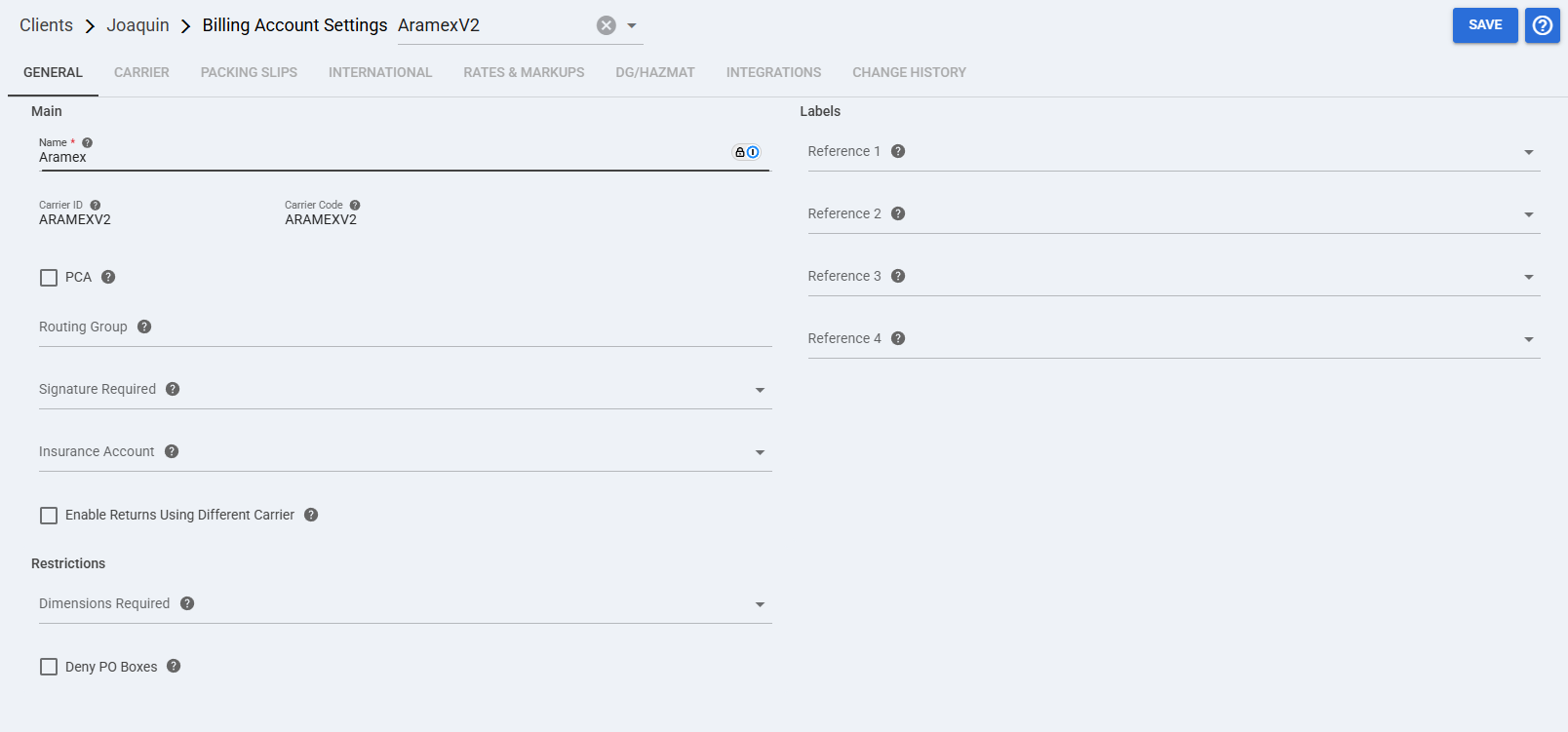
 | Core Account Information: This group identifies the Client (Billing) Account and the carrier record associated with it.
|
 | Carrier Options: These optional fields define how Aramex behaves for this Client (Billing) Account.
|
 | Restrictions: These optional settings control shipment restrictions for this Client (Billing) Account.
|
 | Label References: These optional fields define which order reference values can be printed on the label for this Client (Billing) Account.
|
 | To enable carrier-specific settings —and before continuing—, press Save. |
Next Steps
You can now use this account to ship through Aramex.
To learn more about additional Order Settings that you can configure for this specific carrier, see: How to Configure Aramex Order-Specific Settings [Guide].