
Managing order shipments in techSHIP requires accurate package weight calculations to ensure correct carrier billing. By understanding how the system calculates these values, you can optimize your packing workflow and avoid manual data entry errors.
This article explains the definitions of various weight fields and the strict rules governing automatic weight synchronization.
 | To view or modify any of the fields discussed in this document, you must open the specific order details page and navigate to its Packages tab. For step-by-step instructions on accessing this interface, refer to How to view and/or edit an order's packages and SKUs [Step-by-Step guide]. | |
| | ||
Prefer listening? This podcast-style audio walks you through the article's key points.
| AI-Assisted & Human-Reviewed: For general information only. Please double-check important details. | |
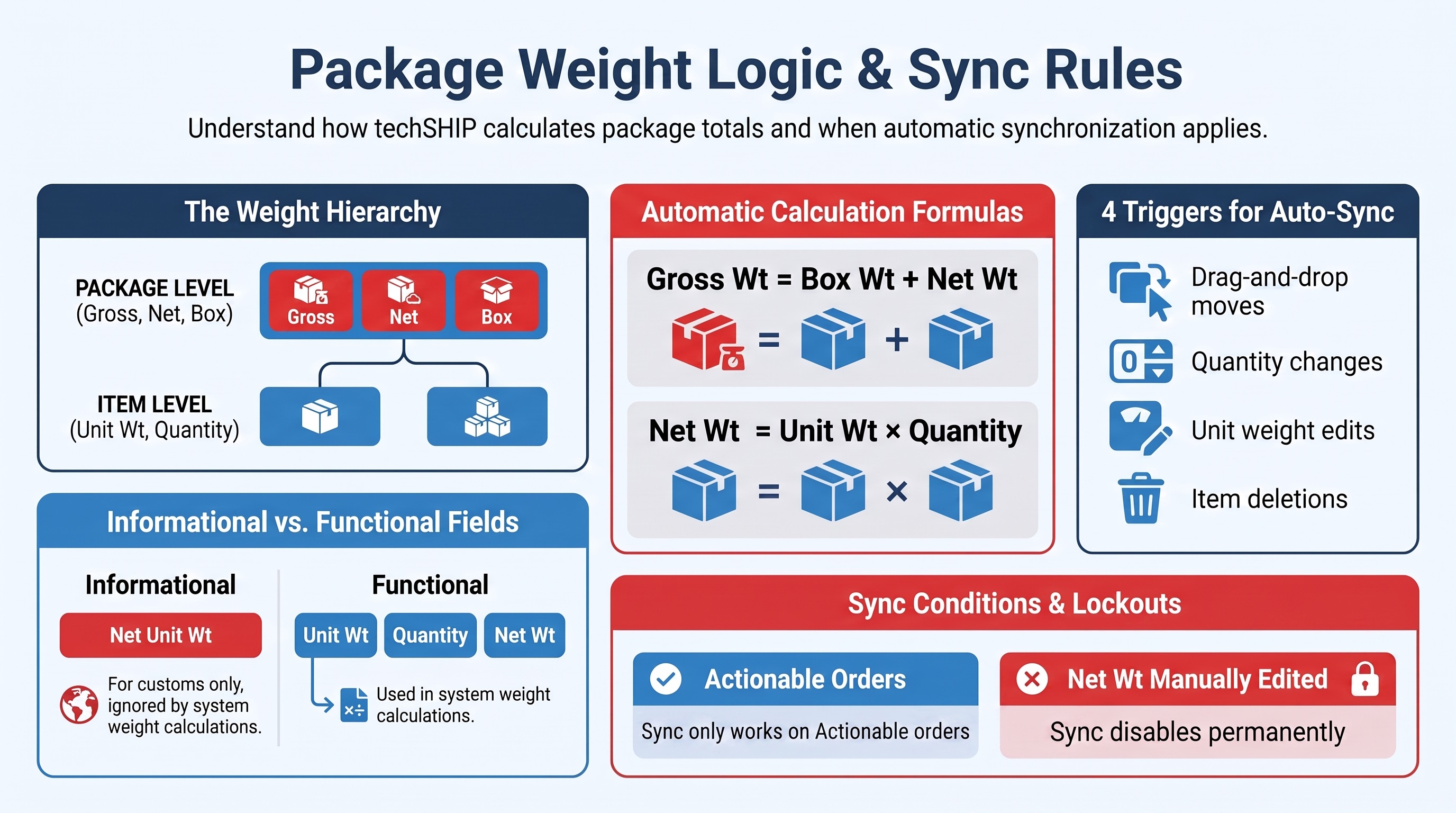
TABLE OF CONTENTS
Weight Field Definitions
When working within the Packages tab on the order details page, you will encounter several weight-related fields. Understanding how techSHIP uses each specific field is critical for accurate manifesting and label generation.
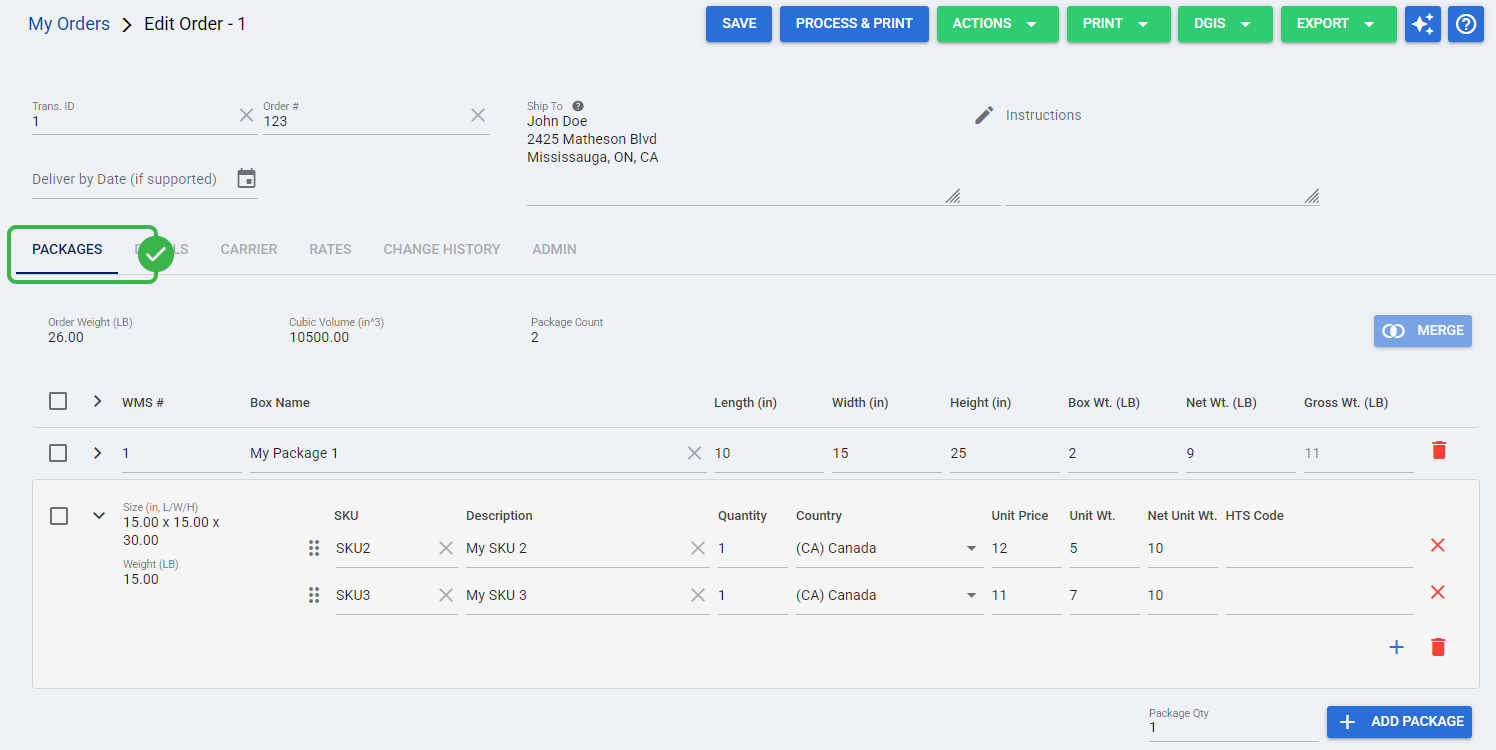
The interface displays these fields differently depending on whether you are looking at the overall package summary or the individual items inside.
Package Level
These fields represent the overall weight of the container and its contents. You will interact with these specific fields when the package row is collapsed, meaning the package is "Closed" in the interface.
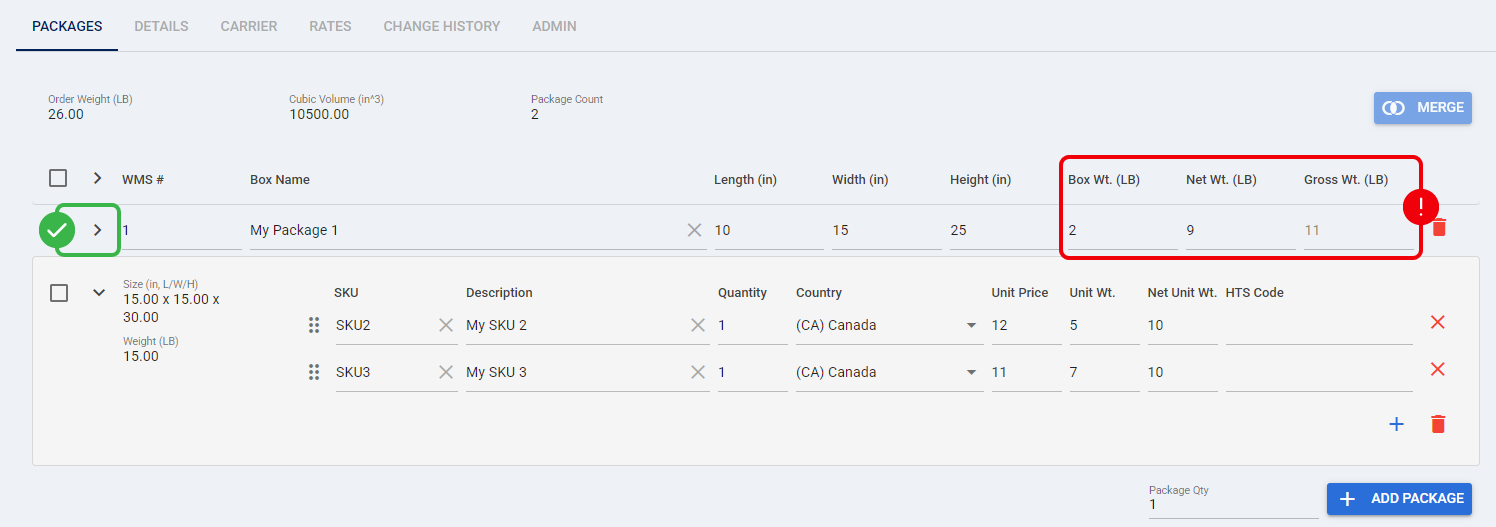
- Box Wt.: The physical container's empty base weight. This value contributes directly to the overall Gross Wt. of the package.
- Net Wt.: The total weight of the items packed inside the package. When automatic synchronization is active, the system calculates this dynamically:

- Gross Wt.: The total physical weight of the packed box. The system calculates this automatically:

Item Level
These fields apply to the specific items inside the box. You will only see these fields when the package row is expanded, meaning the package is "Open" to display its individual items.
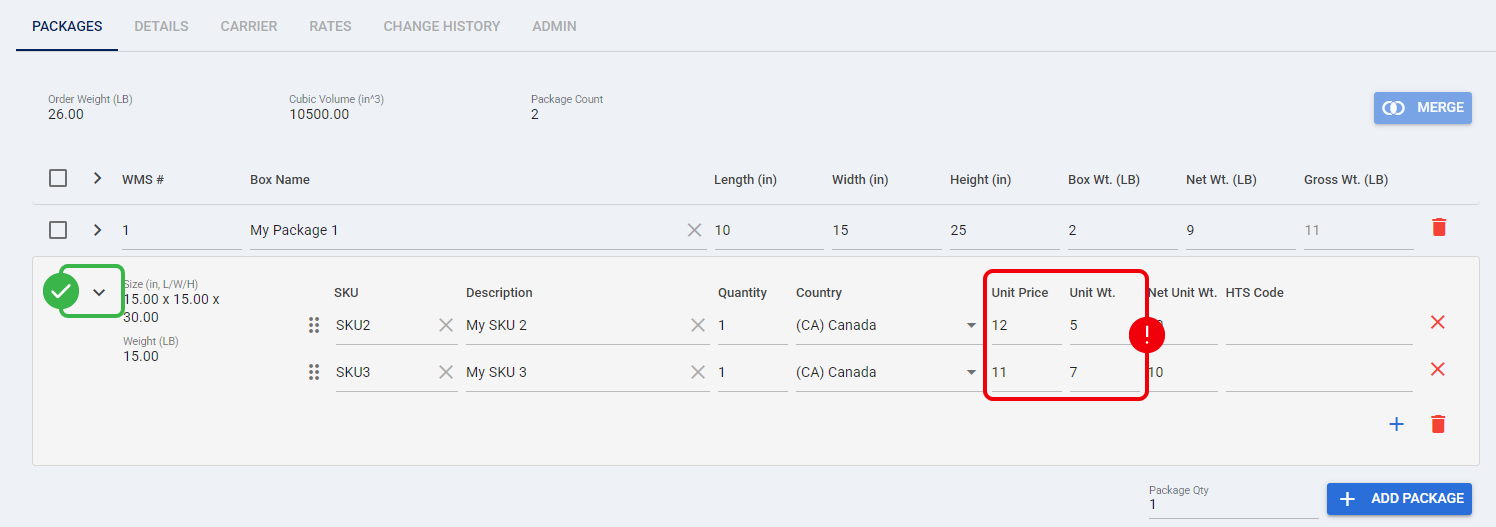
- Unit Wt.: The individual weight of a single unit on a package line. The system uses this value alongside the Quantity to determine the synchronized Net Wt. of the parent package.
- Net Unit Wt.: A separate, specialized per-unit net weight field used for specific customs or compliance requirements.
| The Net Unit Wt. field is strictly informational and is completely ignored by the system during automatic package-weight calculations. | |
| | ||
Automatic Weight Synchronization
To streamline your workflow, the system can automatically recalculate the Net Wt. and Gross Wt. of your packages as you pack or reorganize items within an order.
| You can only edit packages and trigger automatic weight synchronization on orders that are currently in an actionable status (such as Open or Error). To understand which orders allow modifications, refer to Understanding Order Statuses [Information]. | |
| | ||
Supported Action Triggers
The automatic synchronization logic evaluates and updates package weights whenever you perform the following actions inside the Packages tab:
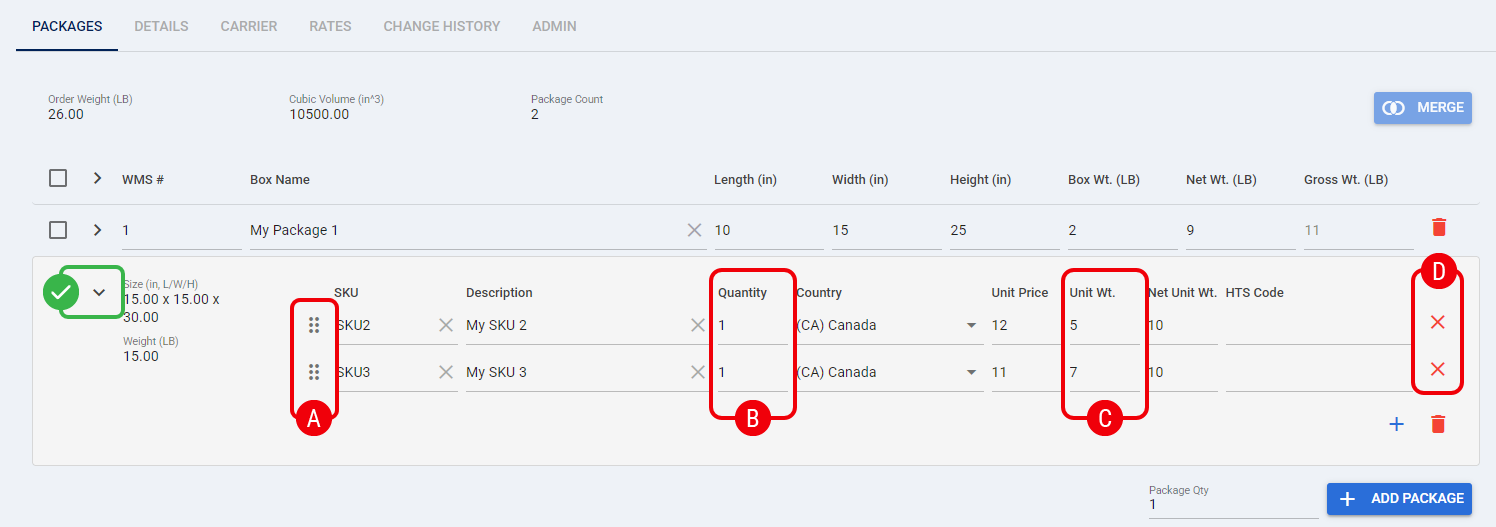
 | Moving an item to another existing package or a completely new package using the Drag-and-Drop handle. |
 | Modifying the Quantity value of an active package line. |
 | Modifying the Unit Wt. value of an active package line. |
 | Clicking the Delete icon to remove an item completely. |
Synchronization Conditions and Limitations
The automatic weight recalculation is not universally active across all orders. The system enforces strict mathematical conditions to prevent overwriting your custom scale data.
 | Auto-sync is only enabled if, at the exact moment the Order page loads, the package's existing Net Wt. perfectly matches the mathematical sum of the Unit Wt. multiplied by the Quantity of its items (rounded to two decimal places). If these values do not match upon loading, the system assumes the weight was captured externally (e.g., via a physical scale) and actively disables auto-sync for that specific package. | |
| | ||
| If you manually edit the Net Wt. field of any package, the system immediately interprets your entry as a custom manual override. This action permanently disables automatic synchronization for that specific package for the duration of your session, and the interface will not display a visual indicator for this disconnected status. | |
| | ||