
This article explains the configuration fields required to set up the TechShipWms plugin.
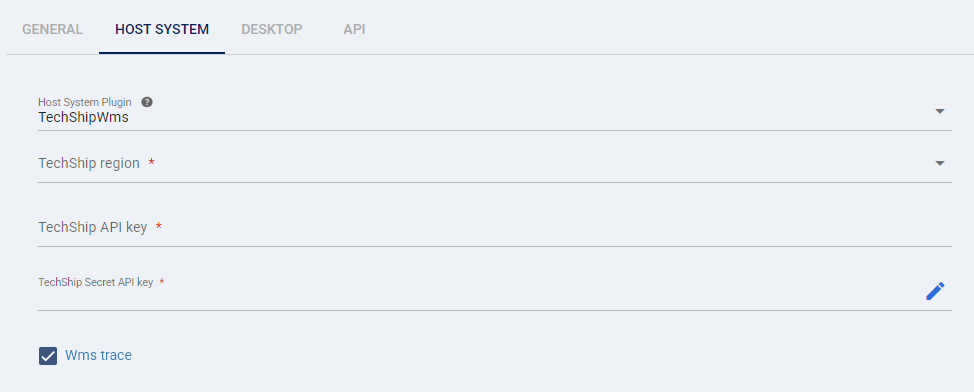
When onboarding/adding a new TechShip WMS location the following information needs to be provided and verified:
TABLE OF CONTENTS
To Be Provided
- TechShip region: Selects the specific techSHIP environment for your WMS imports (e.g., USA, Canada, Europe). You must choose the region that matches your issued API credentials.
- TechShip API key: Authenticates requests to techSHIP.
- TechShip Secret API key: Authenticates requests to techSHIP.
Additional Elements (Optional)
- Wms trace: Records detailed troubleshooting information for imports. You should enable this only while investigating an issue.
 | Any missing or non-validated, incorrect setup or information will delay the setup process. | |
| | ||